Last updated: April 2026
I've had the same conversation a few times in the last two weeks, each time with a different advisor, and each time it started with the same question.
"I keep seeing people talk about Claude's Cowork. Is it something I should be using? And is it safe for my practice?"
The short answer to both is yes, with some important guardrails. The longer answer is what this article is about.
Anthropic (the company behind Claude) has been shipping major updates roughly every two weeks in 2026. Their AI can now work directly with files on your computer, run multi-step tasks in the background while you do other things, and even be controlled from your phone while your desktop handles the work. On March 20, they launched Projects inside Cowork, which gives Claude persistent memory across sessions within a dedicated workspace. Four days later, they announced Claude can now control your Mac remotely from your phone.
The pace is fast. And most financial advisors have no idea any of this is happening.
This article breaks down what Cowork and Skills actually are, what they can and can't do for your practice, where the compliance lines are right now, and how to set yourself up safely. No jargon, no hype, just practical information you can use this week.
What Is Cowork (And How Is It Different from Chat)?
If you've used Claude before, you've probably used it through Chat. You type a question or a request, Claude responds, and you go back and forth. Chat is reactive. You ask, it answers.
Cowork is different. Cowork is an agentic tool built into the Claude Desktop app. Instead of responding to prompts one at a time, Claude can take on complex, multi-step tasks and execute them on your behalf. You describe what you want done, and Claude reads your files, makes a plan, and works through it. You can step away and come back to finished work.
The biggest update since Cowork launched is Projects. As of March 20, 2026, you can create persistent workspaces inside Cowork that keep your files, instructions, and memory in one place. Before Projects, every Cowork session started from scratch. You'd re-explain your context and re-upload the same files every time. That's no longer the case.
A Cowork Project remembers what you worked on last time. It carries your instructions forward automatically. And it scopes that memory to the specific project, so what Claude learns in your content project doesn't bleed into your client communication project.
For financial advisors, this is a meaningful change. You can now create a Project with your voice template, your compliance guardrails, and your preferred folder structure already in place. Every time you open that Project, Claude knows who you are and how you work. No re-explaining.
Cowork is available on both Mac and Windows in the Claude Desktop app. It requires a paid Claude plan (Pro, Max, Team, or Enterprise). Your desktop must stay open and your computer must be awake while Cowork is running a task.
What Are Skills?
A Skill is a set of instructions you install in Cowork that teaches Claude how to handle a specific type of task. Think of it as giving Claude a playbook for a job you do repeatedly.
Without a Skill, you'd need to explain what you want, how you want it formatted, what voice to use, what rules to follow, and what to avoid, every single time. With a Skill installed, you just say "train on my voice" or "draft a follow-up email" and Claude already knows the process, the format, and the guardrails.
Skills are especially useful for tasks where the steps are the same but the inputs change. You prep for client meetings the same way every time, but the client situation is always different. You write follow-up emails after every prospect meeting, but the details vary. A Skill handles the repeatable structure so you can focus on the part that requires your judgment.
Skills install as plugins inside the Cowork section of the Claude Desktop app. Once installed, they're available in every Cowork session. You don't need to reinstall them or remember what to ask for. The Skill reads your inputs and produces the output based on its built-in instructions.
Cowork Projects: The Newest Update
On March 20, 2026, Anthropic launched Projects inside Cowork. This is worth understanding because it changes how useful Cowork is for ongoing work.
Before Projects, every Cowork session started fresh. Claude didn't remember what you worked on yesterday. You had to re-select your folder, re-explain your context, and essentially start from scratch each time. That was the biggest limitation for advisors who wanted to use Cowork regularly.
Projects fix that. A Cowork Project is a dedicated workspace with its own files, instructions, and memory. You set it up once with your preferences, your voice guide, and any reference files, and Claude carries that context forward automatically every time you open that project. Memory is scoped to the project, so what Claude learns in one project doesn't bleed into another.
You can create a project from scratch, import an existing Chat project (it transfers the files and instructions into a new Cowork project), or connect it to a local folder on your computer.
For advisors, this means you could set up an "Amplify for Advisors" project with your voice template, install the Skills you use, and Cowork would remember your voice, your preferences, and your past context every session. That's much closer to the experience of working with a well-trained assistant than the old one-off session model.
One important note: Projects are stored locally on your computer. There's no cloud sync, and you can't share them with team members yet. For compliance purposes, the conversation history stays on your machine rather than being retained on Anthropic's servers, which is actually a useful detail we'll come back to.
The Compliance Reality for Financial Advisors
This is the section that matters most for anyone in a regulated industry.
Cowork is still a research preview. That means Anthropic is actively developing it and the features will continue to change. Here's what you need to know right now from a compliance perspective.
Cowork stores conversation history locally on your computer. It is not subject to Anthropic's standard data retention timeframe. This is actually a privacy advantage in some ways because your conversation data stays on your machine rather than being retained on Anthropic's servers. But it also means your firm's compliance team can't access Cowork activity through their normal channels.
Cowork activity is not captured in Audit Logs, the Compliance API, or Data Exports. This is the most important limitation for advisors on Team or Enterprise plans. If your firm requires a record of AI interactions for compliance purposes, Cowork does not currently provide that. Do not use Cowork for regulated workloads that require an audit trail.
Computer use is now available on both Mac and Windows. This means Claude can open apps on your screen, fill in spreadsheets, and interact with your browser. This is powerful, but it also expands what Claude can access. Anthropic has built in per-app permissions (Claude asks before accessing each application), an app blocklist, and action review steps. Investment and trading platforms and cryptocurrency apps are blocked by default. Even so, I would not recommend using computer use on any application that contains client data or financial records until compliance frameworks catch up.
Microsoft 365 connectors are now available on every Claude plan, including Pro. This means Claude can access Outlook, OneDrive, SharePoint, and Teams. The connector is read-only (Claude can search and analyze but cannot send emails, create documents, or modify anything). It respects your existing Microsoft permissions. For advisors using Microsoft 365, this is convenient but worth discussing with your compliance team before enabling, since Claude would have read access to your email threads and documents.
The practical approach: create a dedicated Cowork Project for your advisory work. Keep it pointed at a folder that contains only content and communication files, never client data. Use your voice template and compliance guardrails as project instructions. Toggle off "Help improve Claude" in settings. And review everything Claude produces before it goes anywhere public or to a client.
The tools are moving faster than the compliance frameworks right now. That's not a reason to avoid AI. It's a reason to be intentional about how you use it.
What you can't do with Cowork right now:
You should not use Cowork to process, store, or generate documents that contain client information like names, account numbers, Social Security numbers, or dates of birth. You should not use Cowork for any task that would need to be produced in a regulatory audit or examination. And you should not point Cowork at any folder on your computer that contains client data, even if the specific task you're asking Claude to do doesn't involve that data. If the folder is accessible, the content is accessible.
FINRA and the SEC have made clear that existing financial regulations apply to AI tools the same way they apply to any other technology. There's no special AI exemption. If your compliance framework requires you to retain and supervise business communications, and Cowork activity isn't captured in your compliance systems, then Cowork isn't the place for regulated work.
What you can do with Cowork safely:
The key insight is that not everything an advisor does is regulated. The compliance concern is about client data and business communications that involve specific advice or recommendations. But a huge portion of what advisors do every day doesn't involve client data at all.
Creating LinkedIn content? No client data involved. Building your voice guide from your own writing samples? That's your content about your writing style. Drafting a quarterly letter template that you'll personalize later? The template itself contains no client information. Prepping talking points for a meeting using an anonymized description of the situation? You're providing the context, and you can leave out anything identifying.
This is exactly where Cowork and Skills add the most value for advisors. The communication layer, the content layer, the preparation layer. None of it requires client data to flow through the system.
How to set up your environment safely:
Here's how I'd recommend setting up Claude for your advisory practice today.
Start by creating a folder on your computer called Claude-Work. Inside it, create a few subfolders: About Me (for your voice template and any personal context files), Outputs (where Claude saves finished work), and Templates (for any reusable documents). This folder is where all of your AI work lives. Never point Claude at folders containing client data, financial records, or anything sensitive.
Next, open the Claude Desktop app and click the Cowork tab at the top center of the screen. In the left sidebar, click Projects, then click the + button to create a new project.
You'll see three options: Start from scratch, Import from a Claude project, or Use an existing folder. If you've been using Claude Chat with a project that already has your voice template and instructions, the import option will carry those over (though it won't bring conversation history). If you're starting fresh, select "Use an existing folder" and point it to your Claude-Work folder.
Name the project something clear like "Advisory Content" or "My Practice." Then add your instructions. This is where you paste your compliance guardrails and any standing preferences (your tone, your formatting rules, how you want Claude to handle financial topics). These instructions apply to every task you run inside this project automatically.
If you've built a voice template, add it as a context file in the project. Claude will read it every time you work in this project and adjust its output to match your voice.
Set the model to Sonnet 4.6. Opus is the most capable model, but Sonnet handles nearly as well for most tasks and uses a fraction of the tokens. I use Opus for deep thinking projects and Sonnet for everything else.
One important setting: go to Settings in the Claude Desktop app and toggle off "Help improve Claude." This prevents your conversations from being used to train future models. For advisors handling any practice-related work, this should be off.
Once your project is set up, every future session starts with Claude already knowing your voice, your rules, and your context. That's the whole point of Projects. You set it up once and build from there.
The data training question:
This one is important to understand. Claude Pro (the $20/month individual plan) gives you the option to allow or disallow your conversations being used to improve Claude's models. Here's why it matters.
When the setting is ON, every conversation you have with Claude, including any content you paste in, is sent to and stored on Anthropic's servers for up to five years. That data can be used to train future versions of Claude. Even though Anthropic says they de-link your user ID before training, the content itself is in their system. If an advisor accidentally included client context in a prompt while this setting was on, that information is now sitting on a third party's servers being used to develop their product. That's a risk no advisor should take.
When the setting is OFF, your data is retained for only 30 days and is not used for training. Thirty days is still not zero, and from a regulatory standpoint it doesn't meet the multi-year retention requirements FINRA and the SEC require for business communications. But it's a significantly smaller exposure than five years, and the data isn't being fed into model development.
The recommendation: go to Settings, Privacy, and toggle off "Help improve Claude" before you do anything else. And regardless of that setting, never include client names, account numbers, Social Security numbers, or any other identifying client information in any prompt or file you share with Claude. The safest approach is to assume that anything you type into Claude could theoretically be stored on Anthropic's servers, and act accordingly.
One positive detail: Cowork conversation history is stored locally on your computer, not on Anthropic's servers. That means the ongoing record of what you've asked Claude to do lives on your machine under your control, not in the cloud.
The honest assessment:
Cowork is not ready for regulated workloads. Anthropic says so themselves, and the audit trail gaps confirm it. But the work most advisors struggle with, the content creation, the communication drafting, the meeting preparation, the marketing strategy, none of that is regulated work. It's the work that eats your time and keeps you from spending more hours with clients.
Using Cowork for that work, with proper folder isolation and privacy settings, is practical and safe. Just keep the boundary clear: AI handles communication and content. Client data stays in your CRM, your financial planning software, and the systems your compliance team can supervise.
What Amplify for Advisors Is Building
Full disclosure: I'm building AI Skills specifically for financial advisors through my newsletter, Amplify for Advisors. So I have a perspective on this that's informed by what I'm actually creating and testing.
Every Skill I build follows one rule: it must produce something valuable using only the inputs the advisor provides in that session. No client data required. No software integrations needed. No connection to your CRM or custodian.
The first Skill (Voice Training) is already available to paid subscribers. It walks you through building a complete voice guide from your own writing samples in about 30 minutes. The output is a document that captures how you communicate, including compliance voice patterns and the analogies you naturally reach for when explaining complex concepts. Every other Skill reads from that voice guide so the output sounds like you, not like generic AI.
More Skills are coming over the next several months, each one designed to handle a specific repeatable task: recycling your existing content into new ideas, drafting difficult conversation starters, building a library of client email templates in your voice, generating quarterly letters by client segment, preparing for fee conversations, and more.
The design philosophy is intentional. These Skills live in the communication and content layer that meeting intelligence platforms don't cover. There are already well-funded tools that handle what happens during and after client meetings: recording, transcription, CRM updates, form filling. Amplify Skills handle everything before and around it: the content that attracts clients, the emails that build relationships, the preparation that makes conversations more effective, and the follow-up that keeps momentum going.
The two approaches are complementary, not competitive. An advisor could use a meeting intelligence tool for notes and CRM updates and use Amplify Skills for everything they write and publish. Neither requires the other, but both make the advisor more effective.
How Fast This Is Moving
If you're reading this and thinking "I'll figure this out later," consider the pace.
Anthropic has been releasing major updates roughly every two weeks throughout 2026. Cowork launched in January. Projects launched four days ago. Remote control from your phone launched yesterday. Enterprise connectors for Google Drive, Gmail, and dozens of other tools are already live.
Advisor-specific tools are also connecting directly to Claude. On April 2, Zocks, the meeting notes and client intelligence platform, launched an MCP connector that plugs into Claude's Connectors Directory. That means an advisor's client notes, meeting history, and planning signals can now flow into Claude automatically. Instead of copying and pasting context before asking Claude to draft a follow-up email, Claude pulls it directly from Zocks. It's one of the first examples of advisor-specific data connecting to a general-purpose AI tool through an official, secure channel. And because it's built on the open MCP standard, it works alongside other connectors like Google Drive, Notion, and Microsoft 365.
And it's already reaching the advisory industry directly. LPL Financial expanded its partnership with Anthropic to build AI integrations for its more than 30,000 financial advisors. Anthropic's head of asset and wealth management described the approach as giving platforms "a foundation to build their own private plugins customized to their advisors, powered by their data, controlled by their compliance teams." Orion announced a similar expansion, incorporating Claude plugins into its Denali AI platform for meeting prep, client reviews, proposals, and rebalancing.
PricewaterhouseCoopers, one of the largest consulting firms in the world, announced a collaboration with Anthropic specifically to help clients in finance and life sciences embed Claude into enterprise environments where regulatory compliance and auditability are essential. Microsoft built their newest flagship productivity feature (Copilot Cowork) on top of Anthropic's Claude technology. Anthropic committed $100 million to its Claude Partner Network for 2026, with Accenture, Deloitte, and other major consulting firms among the anchor partners.
Here's what this means for individual advisors: the enterprise compliance infrastructure (audit logs, admin controls, data governance) is being built at the platform level through partnerships like LPL and Orion. That infrastructure will eventually filter down to individual advisors through the tools those platforms provide. But it's not available yet to an advisor using Cowork on their own Pro plan. The gap exists today. It won't exist forever. And the advisors who've already built their voice guides, learned to use Skills, and developed safe AI workflows will be the ones who benefit most when that enterprise layer arrives.
Here's the window most advisors are missing. Over 90% of advisors have used AI at this point. But according to Orion's 2026 advisor survey, only 6% are using agentic workflows and only 5% have implemented AI across different systems. Most advisors tried ChatGPT, asked it a few questions, maybe had it rewrite an email, and stopped there. The gap between "I've used AI" and "AI actually does work for me" is enormous, and almost nobody has crossed it yet. The advisors who figure out Cowork, Skills, and structured AI workflows in the next few months are operating in a space where 95% of their peers haven't arrived.
You don't need to adopt everything at once. Start with one thing. Build your voice guide. Use AI to draft a LinkedIn post in your voice. Prep for one meeting with AI assistance and see if you walk in more prepared than usual.
The tools will keep getting better. The compliance frameworks will catch up. But the advisors who build the habits now will be the ones who benefit most when the full infrastructure arrives.
Getting Started This Week
If you want to start using Claude as a financial advisor, here's the simplest path:
Start with Claude Chat (at claude.ai) for writing, brainstorming, and learning how AI works with your content. No desktop app needed. No file access required. Just conversations.
When you're ready to go deeper, download the Claude Desktop app at claude.com/download. Set up a dedicated Claude-Work folder on your computer. Toggle off "Help improve Claude" in your privacy settings. Try Cowork for a simple task like organizing your content ideas or drafting an email template.
If you want the full system, Amplify for Advisors teaches everything from building your voice guide to using AI across your entire practice. Every prompt includes compliance guardrails. Every framework starts with your voice. And the Skills I'm building are designed to work safely within the constraints financial advisors operate under.
The technology is moving fast. Your approach to it doesn't have to be. Start simple. Stay safe. Build from there.
Watt, the Amplify for Advisors Agent
See Watt solve this.
Paste your website once, and Watt drafts a week of posts with graphics in your voice and brand, ready for you to approve.
This week · ready for your review


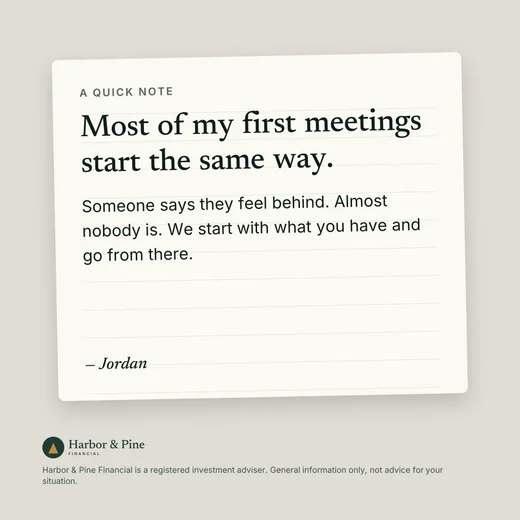
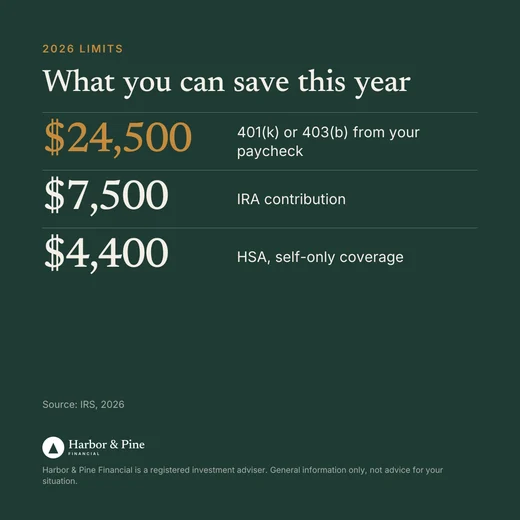

Open now. Watt drafts a week of posts, emails and graphics in your voice, with no client data needed.
Start your 7-day free trialWhat's Changed Since This Article Was First Published (Updated April 2026)
Anthropic ships updates roughly every two weeks, and several significant changes have happened since this article first went live on March 24, 2026.
Cowork Projects launched on March 20 and represent the biggest improvement to how advisors can use Cowork. Projects give you persistent memory, saved instructions, and dedicated file access that carries across sessions. The setup section above has been updated to reflect this.
Computer use expanded to Windows on April 3, 2026. Previously Mac-only, Claude can now interact with apps and your desktop on both platforms. The feature is still a research preview and requires a Pro or Max plan.
Microsoft 365 connectors became available on every Claude plan (including Pro) on April 3, 2026. Previously limited to Team and Enterprise plans, advisors on Pro can now connect Outlook, OneDrive, and SharePoint to Claude.
Zocks launched an MCP connector for Claude on April 2, 2026. Advisors using Zocks can now connect their client intelligence directly to Claude through the Connectors Directory, enabling AI-assisted follow-ups, meeting prep, and client communication powered by real client context.
Dispatch allows you to send tasks to your desktop Cowork session from your phone. You can start a task from your phone while you're away from your desk, and Claude works on it using your desktop files and connectors. Your desktop must be on and Claude Desktop must be open.
Claude Sonnet 4.6 launched as the new default balanced model with improved performance and lower token usage. For most advisor tasks, Sonnet 4.6 is the right choice over Opus.
I'll continue updating this article as Anthropic ships changes that affect how advisors use these tools. If something here is out of date, let me know at amplifyforadvisors.substack.com.

Sam is the creator of Amplify for Advisors and Watt, the Amplify for Advisors Agent. A former RIA owner whose work has been featured in Forbes, NerdWallet, Nasdaq, and more, he teaches financial advisors to use AI in their own voice while staying compliant.