If you've spent any time reading about AI lately on socials, you've seen the warnings.
"Don't put client information in ChatGPT." "AI is a compliance nightmare." "You're going to get in trouble."
The advisors posting those warnings aren't wrong to be cautious. But the way the conversation is happening right now is doing more damage than the actual risk in most cases. Advisors are avoiding tools that could genuinely help them, not because they understand the risk, but because someone scared them away from it.
You can use AI safely as a financial advisor. You just have to understand what you're actually protecting and how to protect it.
This article walks through what PII and NPI actually are, what the real risks are when you use tools like ChatGPT and Claude, what the different plan tiers mean, and how to build a workflow that lets you use AI without putting your clients or your practice at risk.
What PII Actually Means
PII stands for Personally Identifiable Information. It's any data that can be used to identify a specific person, either on its own or when combined with other information.
There are two tiers worth knowing.
Direct identifiers are the obvious ones. Full name, Social Security number, account numbers, driver's license, date of birth, home address, phone number, email address.
Indirect identifiers are the ones that catch advisors off guard. These are details that seem harmless on their own but become identifying when combined. A job title plus a city plus an employer. Age plus zip code plus profession.
"My client is a 58-year-old orthopedic surgeon in Boulder who just sold his practice" is technically PII. There are probably only a handful of people who match that description, and someone determined enough could identify the person you're talking about.
This matters because most advisors think of PII as just names and account numbers. The combinations are where the real exposure lives.
What NPI Means for Financial Advisors
PII is the broad term. NPI is the one with regulatory teeth in our industry (I know that sounds scary, but I'll explain).
NPI stands for Nonpublic Personal Information, and it's specifically protected under Regulation S-P. NPI includes account balances, transaction history, investment holdings, income, net worth, and the fact that someone is even a client of yours.
That last part trips people up. If you tell AI "I'm working with a client who has $3M at Schwab," you've shared NPI even without naming the person, because client status itself is protected.
The SEC, FINRA, and state regulators all care about NPI in different ways. Your firm's written policies likely have specific language about how NPI can be shared with third-party vendors. Most consumer AI tools have not been formally vetted as approved vendors under those policies.
This is the actual compliance question. Not whether AI is dangerous. Whether the specific way you're using AI is consistent with what your firm has approved.
The Real Risk of Using ChatGPT and Claude for Advisors
Let's get specific about what the risk actually is.
When you paste client information into a consumer version of ChatGPT or Claude, a few things happen.
The conversation gets stored on the AI provider's servers, at least temporarily. Even with training opt-outs enabled, the data exists outside your firm's controlled environment for some period of time.
The AI provider isn't bound by a Business Associate Agreement or any data processing agreement that gives you regulatory cover. You've shared NPI with a third party that your compliance department probably hasn't approved.
The conversation could potentially be reviewed by employees of the AI company for safety and abuse purposes, depending on the provider and the plan.
Now, the practical reality is that the risk of an actual breach from pasting a client scenario into ChatGPT Plus is probably low. The AI company isn't going to sell your data, and they're not actively looking through advisor conversations.
But low risk isn't zero risk, and regulators don't care about your intentions. They care about what your written policies say and whether you followed them.
What the Different AI Plan Tiers Actually Mean
This is where most advisors get confused, so let me lay it out clearly.
Consumer plans like Claude Pro and ChatGPT Plus are the ones most solo and small-firm advisors use. They cost roughly $20 a month. Both let you turn off model training in settings, which prevents your conversations from being used to improve the model. But conversations are still stored for retention purposes, and the AI provider isn't bound by a vendor agreement specific to your firm. This is the gray area where most advisors are operating right now.
Team and enterprise plans (Claude for Work, ChatGPT Team and Enterprise) have stronger protections. No training on your data by default, admin controls, audit logs, and the ability to sign Data Processing Agreements. The cost is higher, usually $25 to $100 per user per month, but the compliance posture is much better.
API access is what enterprise wealth platforms use when they build AI features into their stack. The API also doesn't train on your data by default, and the contractual terms are stronger. This is what's happening when your custodian or CRM rolls out AI features. You're using AI, but the data handling is happening inside their controlled environment.
Most advisors using AI right now are on consumer plans, which is the most exposed tier. That doesn't mean you can't use it. It means you have to be more careful about what you put into it.
The Mental Model That Solves Most of This
Here's the framework that actually works.
Stop thinking of AI as a place you bring real client data and ask for help.
Start thinking of it as a place you bring anonymized scenarios and ask for thinking.
It sounds like a small adjustment. It's actually the difference between using these tools safely and using them in a way that exposes you.
When you paste real client information, you're treating AI like an internal team member who happens to live in the cloud. That's the wrong mental model. AI isn't part of your firm. It's a third-party vendor your compliance department probably hasn't approved.
When you describe an anonymized scenario instead, you're using AI the way you'd talk through a case with a colleague at a conference. You'd describe the situation in general terms. You wouldn't pull up your CRM and read off account numbers.
That's the model. Anonymize first, paste second.
How to Anonymize Without Losing the Usefulness
The information AI needs to be helpful is almost never the same as the information that identifies a real person.
Here's how to translate.
Replace names with generic descriptors. "Tom Henderson" becomes "the client" or "a recently retired engineer."
Round dollar amounts. "$2,347,000" becomes "roughly $2.3M" or "approximately $2M."
Broaden locations. "Boulder, Colorado" becomes "a mid-size mountain town" or just "Colorado." Sometimes you can drop location entirely.
Replace specific employers with industry. "VP at Lockheed Martin" becomes "VP at a large defense contractor" or just "senior executive at a large company."
Generalize ages to ranges. "58" becomes "late 50s."
Remove any unique combination of details. If your client is the only female cardiologist in a small town, "female cardiologist in [town]" identifies her even without her name.
The test is simple. If you described the anonymized version to a stranger, could they figure out who the real person is? If yes, generalize further. If no, you're probably safe.
This isn't a perfect compliance solution. Your firm's policies still matter. State regulations still matter. But it's the workflow that gets you most of the value of AI with most of the risk removed.
What You Should Actually Do as a Financial Advisor
Here's a practical hierarchy.
Almost always fine without anonymization: brainstorming content ideas, writing LinkedIn posts about general planning concepts, drafting templates with no client information, explaining financial concepts to learn or teach, generating prompts and frameworks, working on your marketing or website copy.
Most of what advisors should be doing with AI sits here. You don't need to worry about PII when you're asking Claude to help you write a post about checking disability insurance coverage.
Gray area, requires anonymization: thinking through planning scenarios, drafting client emails (anonymized first), preparing for client meetings (using anonymized prep notes), analyzing case studies, working through tax strategies.
This is where the workflow change matters. You can do all of this with AI. You just have to write the anonymized version first and use that as your input.
Not appropriate for consumer AI tools (at least right now): anything involving real names, account numbers, Social Security numbers, employer names, addresses, or any combination of details that could identify a specific client. Don't paste client documents. Don't paste statements. Don't paste anything from your CRM that has identifying information attached.
If you find yourself wanting to do something in that last category, the answer is to either anonymize it first or use a tool that's been formally approved by your firm's compliance department.
What's Coming and What to Watch
The industry is figuring this out in real time. Custodians are building AI features inside their platforms. Compliance vendors are starting to issue guidance. Enterprise wealth platforms are signing deals with AI companies that include the data protections most advisors don't have on consumer plans.
A few things worth watching:
Your firm's written policies on AI vendor approval. If they don't have one, ask. The fact that no policy exists doesn't mean AI use is approved by default.
Your custodian's AI features. If you're with Altruist, Schwab, or another platform that's rolling out AI capabilities, those are operating under enterprise-grade data agreements. They're often the safest place to use AI with real client information.
The plan you're personally using. If you're using ChatGPT Plus or Claude Pro and pasting anonymized scenarios, you're probably fine. If you're pasting actual client data, you should either upgrade to a team plan with stronger protections or change your workflow.
Watt, the Amplify for Advisors Agent
See Watt solve this.
Paste your website once, and Watt drafts a week of posts with graphics in your voice and brand, ready for you to approve.
This week · ready for your review


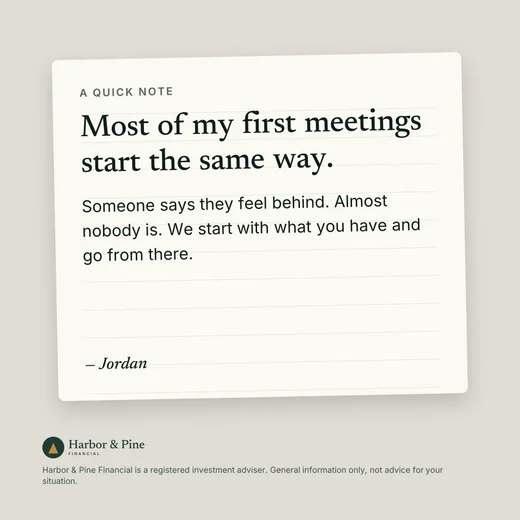
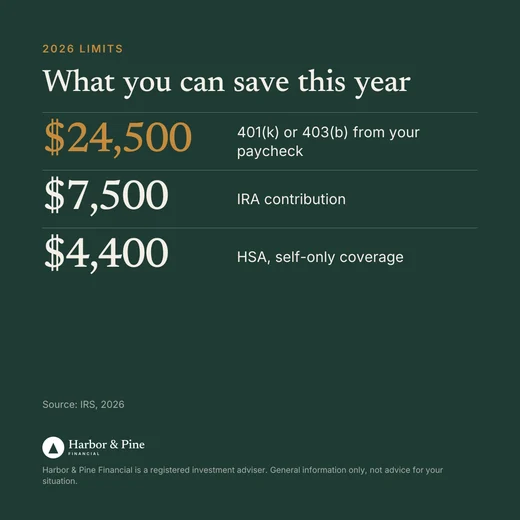

Open now. Watt drafts a week of posts, emails and graphics in your voice, with no client data needed.
Start your 7-day free trialThe Bottom Line for Financial Advisors Using AI
You can use AI safely. The advisors avoiding it entirely are missing out on real productivity, real content quality improvements, and real ways to serve clients better.
You just have to understand what you're protecting, what tools you're using, and how to build a workflow that doesn't expose your clients or your practice.
Anonymize first. Paste second. Know your plan tier. Check your firm's policies. Use enterprise-grade tools (like the AI built into your custodian or CRM) when you need to work with real client data.
That's the whole framework.
If you want the prompts, frameworks, and AI Skills that make this practical for solo and small-firm advisors, the free Amplify for Advisors newsletter publishes every week. Every prompt is built with these guardrails in mind, and every Skill is designed to work on your inputs without ever touching real client data.

Sam is the creator of Amplify for Advisors and Watt, the Amplify for Advisors Agent. A former RIA owner whose work has been featured in Forbes, NerdWallet, Nasdaq, and more, he teaches financial advisors to use AI in their own voice while staying compliant.